Python简易爬虫3-新冠疫情数据
前面我们已经总结了2个Python简易爬虫:电影票房排行榜、豆瓣电影Top250,本篇我们继续 Python简易爬虫 系列,这次我们要爬取的是新冠疫情数据。
1. 确定爬取目标
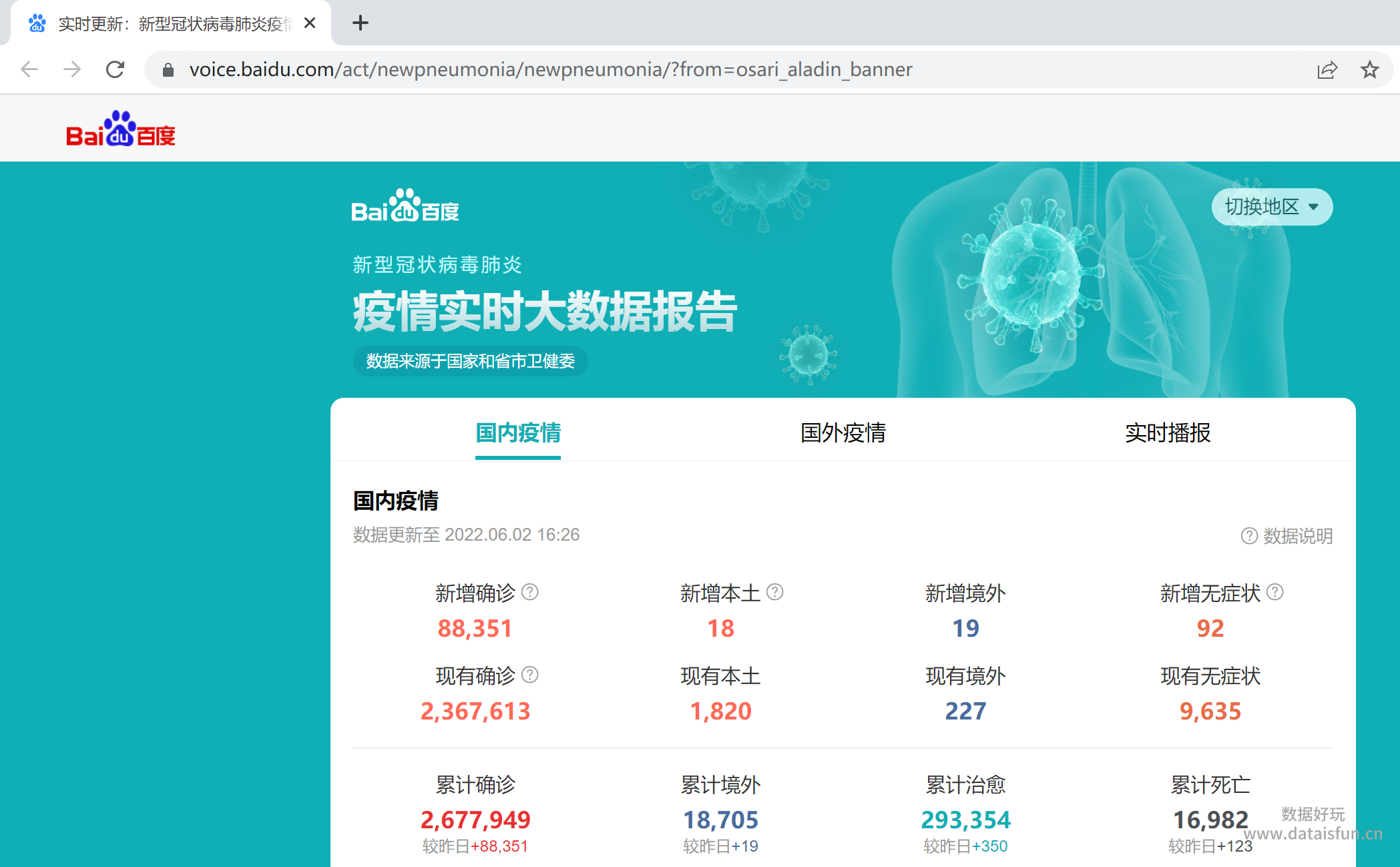
这个Case中我们要爬取的目标是百度的新冠疫情数据:
网址:https://voice.baidu.com/act/newpneumonia/newpneumonia/?from=osari_aladin_banner
内容:
2. 分析数据源
在Chrome浏览器中打开网址,右键检查,确定以下内容:
- Request URL:https://voice.baidu.com/act/newpneumonia/newpneumonia/?from=osari_aladin_banner
- 网页编码:UTF-8
- 数据位置:数据存储在 “component”: […] 中,以JSON字典形式存储
3. 开发代码
# 导入要用的包
import numpy as np
import pandas as pd
import time
import re
import requests
import json


# 请求数据
url = 'https://voice.baidu.com/act/newpneumonia/newpneumonia/?from=osari_aladin_banner'
response = requests.get(url=url)
response.encoding = 'utf-8'
text = response.text


# 解析数据
component_str = re.findall('"component":\[(.*)\],', text)[0]  # 数据存储在 "component":[...] 中,用正则提取[...]这部分内容
component_json = json.loads(component_str)  # 将JSON格式的字符串转成字典类型
caseList = component_json['caseList']  # 数据存储在caseList中,从字典中提取
raw_data = pd.DataFrame(caseList, dtype='str')  # 将数据转成DataFrame类型


# 筛选数据
keep_cols = ['area','confirmed', 'died', 'crued', 'confirmedRelative', 'diedRelative', 'curedRelative', 'asymptomaticRelative', 'asymptomatic','nativeRelative', 'curConfirm', 'curConfirmRelative', 'overseasInputRelative', 'updateTime']  # 只保留想要的列
data = raw_data[keep_cols].copy()


# 清洗数据
for col in data.columns:
    if col != 'area':
        data[col] = pd.to_numeric(data[col], downcast='integer')  # 先转换成数值类型才能用fillna
        data[col].fillna(0, inplace=True)  # 将空值填充为0
        data[col] = data[col].astype('int64')   # 转成int64类型

data['updateTime'] = pd.to_datetime(data['updateTime'], unit='s').dt.strftime('%Y-%m-%d %H:%M:%S')  # 时间格式

data.rename(columns={'area': '地区',
                    'confirmed': '累计确诊',
                    'died': '累计死亡',
                    'crued': '累计治愈',
                    'confirmedRelative': '新增确诊',
                    'diedRelative': '新增死亡',
                    'curedRelative': '新增治愈',
                    'asymptomaticRelative': '新增无症状',
                    'asymptomatic': '累计无症状',
                    'nativeRelative': '新增本土',
                    'overseasInputRelative': '新增境外',
                    'curConfirm': '现有确诊',
                    'curConfirmRelative': '新增现有确诊',
                    'updateTime': '更新时间'}, inplace=True)  # 重命名列名


# 保存数据
data.to_excel('新冠疫情数据.xlsx', index=False)  # 保存到本地
最终我们成功爬取到新冠疫情数据,数据如下:

4. 小结
之前的Case中我们是先用BeautifulSoup解析网页内容,然后再逐一提取标签内容。但在这个Case中,我们是直接使用正则来提取目标内容,同时数据源使用的是JSON格式,所以我们很容易将其转换为DataFrame以做后续处理。
原创文章,转载请务必注明出处并留下原文链接。